Browser viewer#
The CPU task viewer runs a local Viser server. It requires a browser with WebGL support, and does not require an NVIDIA GPU or a policy checkpoint.
pixi run viewer
# Equivalent explicit selection:
pixi run viewer --task free_drift
Open the printed address, normally http://localhost:8080. The default
free-drift task shows a dual-arm spacecraft and Earth. Use the task dropdown
to switch demos, Pause to stop the simulation, and Reset to restore
the task’s initial conditions. Task controls appear in the sidebar.
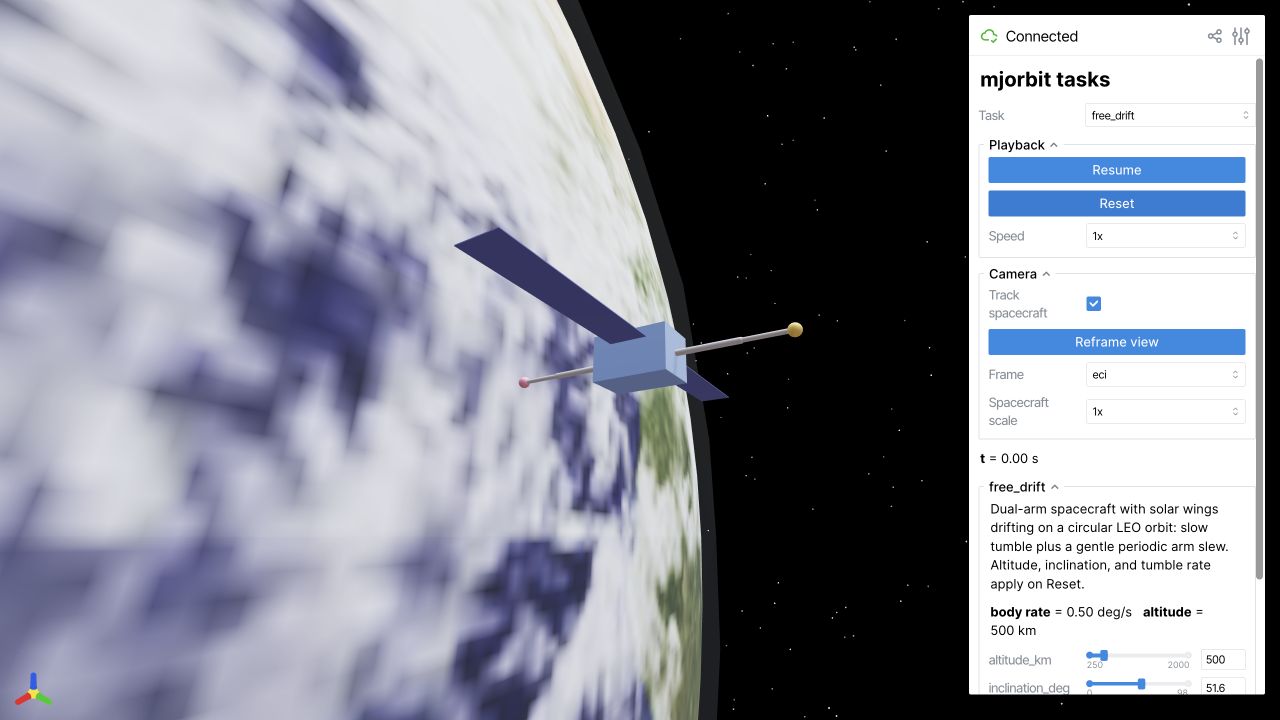
The screenshot uses the bundled NASA Earth Observatory texture; attribution
is recorded in src/viewer/assets/README.md and the project NOTICE.
Choose a task#
pixi run viewer --list-tasks
pixi run viewer --task arm_reach_mppi
pixi run viewer --task capture_stabilize_mppi
pixi run viewer --task free_drift --port 8081
Arm reach demonstrates a floating base with a controlled arm. Capture and stabilization uses long-horizon planning and can take substantially longer per update. Start with free drift to verify installation and rendering.
An installed wheel exposes the same app as mjo-viewer. Stop the server with
Ctrl+C in its terminal. If the requested port is occupied, use another port
and open the address printed by that process.
Custom scenes and recordings#
The viewer integration is in src/viewer/. Built-in tasks implement the
ViewerTask interface and register through viewer.tasks; the existing
free-drift task is a small starting point for a custom scenario.
Some paper examples provide dedicated viewers, including
pixi run example-reorient-viewer. Deterministic paper recordings are produced
by the source-only tools in scripts/record/. They require additional Chrome
and ffmpeg setup; see the
recording guide.